Where do I find my Backer Number?
Click your Avatar on the top right, and select “Backed Projects” in the drop down menu. Expand the information on our project by pressing the “+” icon and you will see your backer number at the bottom. If you are on a mobile device, you may not able able to find your backer number in the same manner. In this instance, please refer to your Kickstarter confirmation email.
Last updated: July 11, 2019 10:55
Does the Carbon Fiber version have RFID protection?
Yes! Unlike the original Fantom, all Fantom R wallets have RFID protection.
Last updated: July 11, 2019 10:55
Is the a coin version?
With the new Fantom R design, we’ve added provisions to add modular add ons to the back of the wallet. Unfortunately they were not ready for this launch date but we will add a coin holder attachment in the future, along with other cool attachments!
Last updated: July 11, 2019 10:55
Will the cards fall out if my wallet is not full of cards?
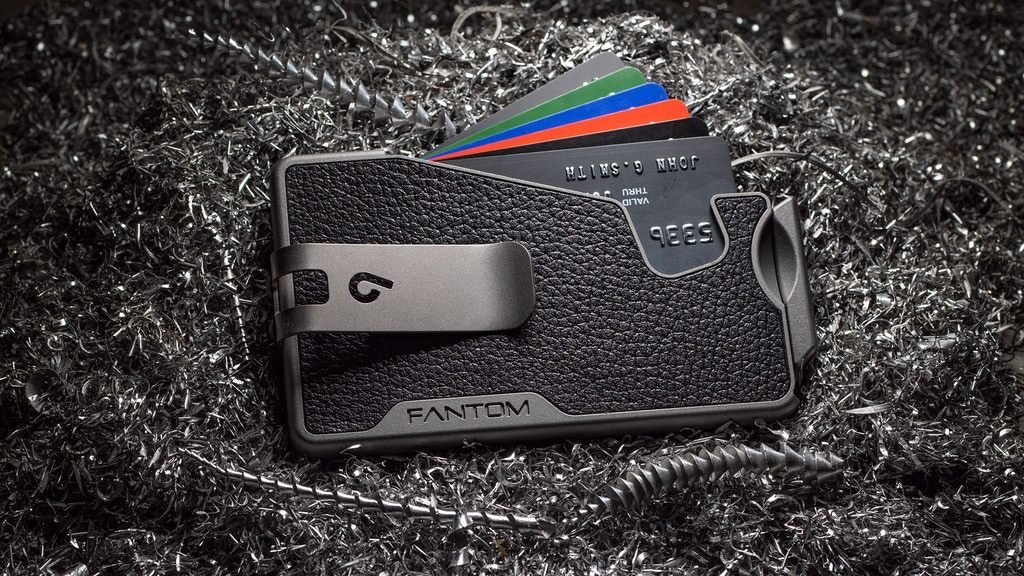
No, the Fantom Wallet is designed such that even if you only had a single card in the wallet, it will not fall out.
Last updated: July 11, 2019 10:55
Will the Fantom Wallet work with business cards?
No, due to the lack of stiffness and sharp corners of business cards, they will not work inside the Fantom Wallet. We suggest you clip them to your wallet with the money clip.
Last updated: July 11, 2019 10:55
Is the Fantom Wallet waterproof/water resistant?
Yes, our wallet will not be damaged with exposure to water. However, we recommend avoiding prolonged exposure, especially to salt water.
Last updated: July 11, 2019 10:55
Where do I choose what wallet size/finish?
We will be sending out a survey to collect this information once the campaign concludes. You’ll have plenty of time to decide which finish is your favorite!
Last updated: June 03, 2019 10:46
How do I add add-ons to my pledge?
Once you’ve backed our project, you can click Manage Pledge at the top of our page. You can then click Change Pledge and add the appropriate amount for your desired add-on.
Last updated: June 03, 2019 10:46
Is the money clip removable?
Yes, you need a hex key (which will be included) to remove the money clip.
Last updated: June 03, 2019 10:46
How can I redeem the free money clip?
In the project page, head to Updates, and review Update #1. Send us a message if you still have any questions! If you back the Fantom Trio, the redeemable money clip is good for just one wallet.
Last updated: June 03, 2019 10:46
Can I order two wallets?
Yes, you certainly can. Just pledge for one wallet with the finish you like, then adjust your pledge to add the value of the second wallet. For example, if you wanted to add a Leather Fantom R, just add CA$99 to your pledge.
Last updated: June 03, 2019 12:49
How much is shipping?
Shipping to the USA is free and shipping to everywhere else in the world is $7.
Last updated: June 11, 2019 14:50
Are there any reviews of the new Fantom R?
Yes, we have a few YouTube reviews so far!
https://youtu.be/lXCPkWOkUHg
https://youtu.be/q-0iLmCRgWk
https://youtu.be/7v3SUkRk77w
https://youtu.be/I-3M8Dq0MkY
Last updated: June 11, 2019 14:50
What is BackerKit?
BackerKit is a service that crowdfunded project creators use to keep track of hundreds to tens of thousands of backers—from shipping details, pledge levels, preferences and quantities, whether they have paid or had their card declined, special notes, and everything in between!
The BackerKit software and support team is independent from the campaign’s project team—BackerKit does not handle the actual reward shipping. For more information about the preparation or delivery status of your rewards, please check the project's updates page.
How does BackerKit work?
After the campaign ends, the project creator will send you an email with a unique link to your survey. You can check out a walkthrough of the process here.
I never received my invitation. How do I complete the survey?
The most common reasons for not receiving a survey email is that you may be checking an email inbox different from the email address you used to sign up with Kickstarter, Indiegogo or Tilt Pro account, or it may be caught in your spam filter.
Confirm that the email address you are searching matches the email address tied to your Kickstarter, Indiegogo, or Tilt Pro account. If that doesn’t work, then try checking your spam, junk or promotions folders. You can also search for "backerkit” in your inbox.
To resend the survey to yourself, visit the project page and input the email address associated with your Kickstarter, Indiegogo or Tilt Pro account.
How do I update my shipping address?
BackerKit allows you to update your shipping address until the shipping addresses are locked by the project creator. To update your address, go back to your BackerKit survey by inputting your email here.
When will my order be shipped, charged or locked?
That is handled directly by the project creator. BackerKit functions independently of the project itself, so we do not have control of their physical shipping timeline. If you want to check on the project’s status, we recommend reading over the project's updates page.
I completed the survey, but haven't received my rewards yet. When will they arrive?
As BackerKit does not actually handle any rewards or shipping, the best way to stay updated on the shipping timeline would be to check out the project's updates page.